
For this week’s lab project, we had the task of refreshing our minds using Unreal Engine or After Effects to demonstrate how to use particles within scenes.
Unreal Engine Refresher:
Using assets from the Unreal engine store and basic shapes within textures, I built this small alleyway scene involving a city building fire. I decided to go with a fire scene as I could not only experiment with the placements of the fire particles but also the smoke, I could develop different strengths of opacity and timing within each effect.
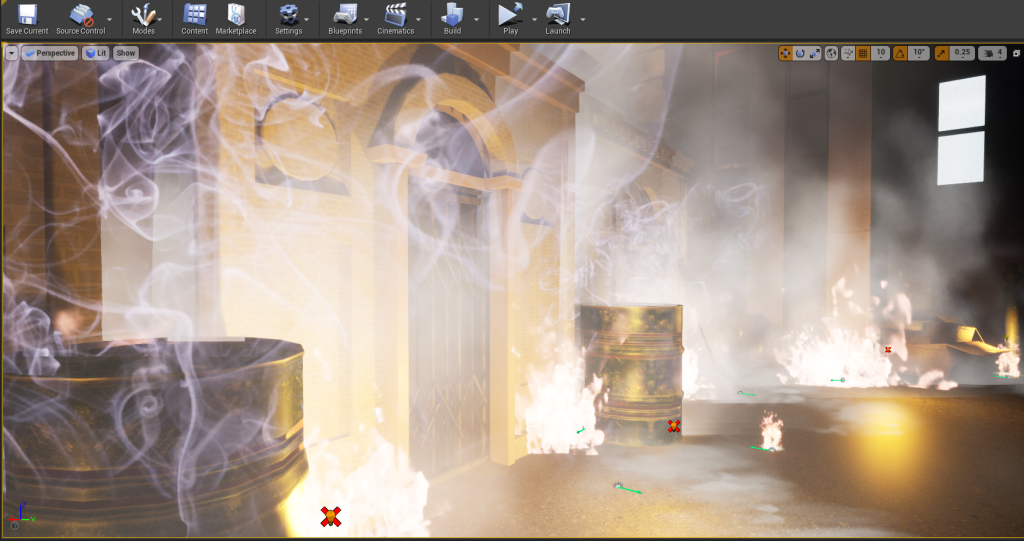
Once I was happy with how the scene placement was looking I decided to make a mini cinematic sequence to show to scene in its full with sound effects. In order to get the right camera angles, I went into cinematic mode and flew the camera through areas of the scene, this footage was then screen recorded and transferred to Adobe Premiere for trimming and sound effects.
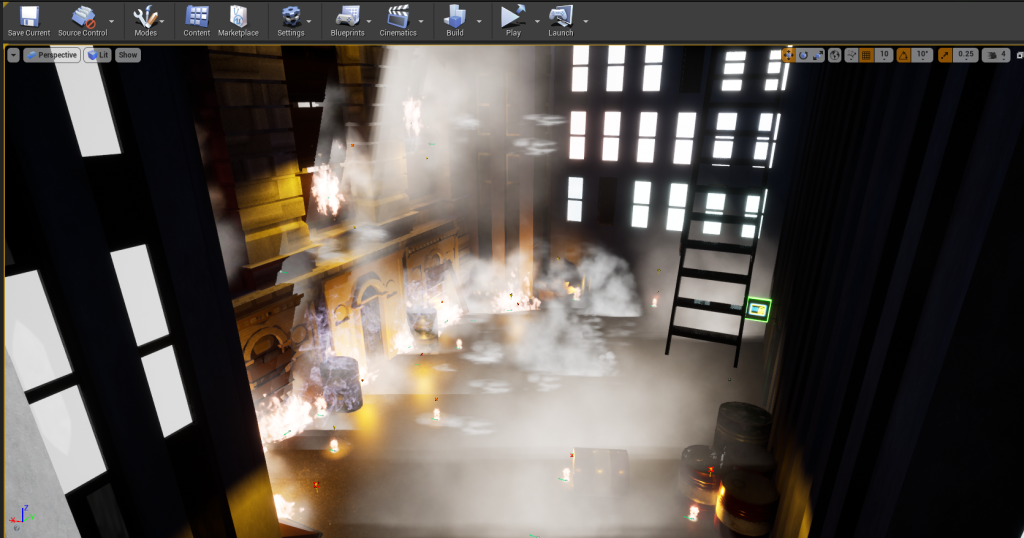
Result:
After Effects Refresher:
For the After Effects refresher, I decided to do something more related to the project that I want to make, a short film that uses VFX to show speed.
My main influence for the VFX for this short piece will be from the TV show the Flash when he is running through the city at a high speed.
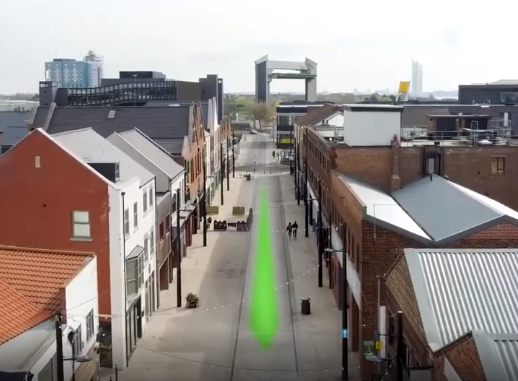
To start with, I began looking through the internet for a sky view of Hull. I found this video below to be brilliant as it has different wide camera shots of locations shattered around the main parts of Hull and it’s an aerial view.
Once downloaded the Drone footage, I brought it into After Effects to start creating the FXs. To make the running line, I decided to create a shape layer and make it green with a Gaussian Blur on top of it, this got rid of the hard edges of the shape making blend more with the background. After having the line how I wanted, I went to reposition it along the road of the bridge, setting the scale and opacity also with a timer so it would be able to change over time.
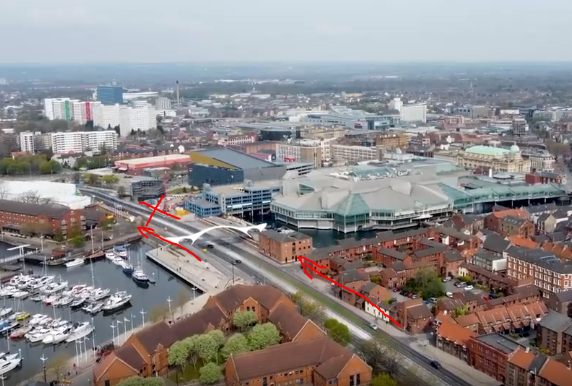
The starting position of the streak began small within the bottom right corner with a low opacity and grew over time until it hits the bridge. For a split second, the opacity lowers to create the illusion that it is passing underneath. After it begins to glow again and gets masked to hide behind a building.
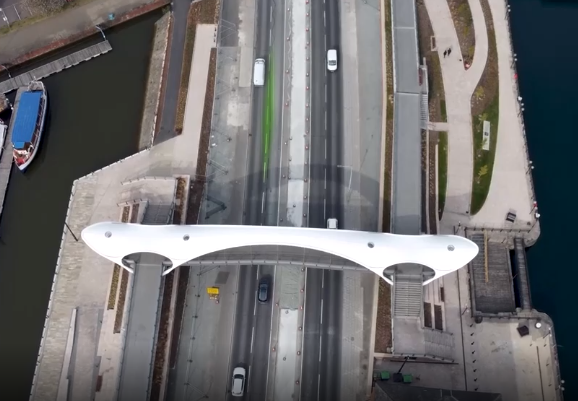
For the next scene, I decided to go with a different method and create my own custom shape layer instead, I used less blur for this example leaving a harder edge to the streak. I personally like the way this looks, the line scales through as it passes the building giving it a 3D effect, which I might continue to use within my work.
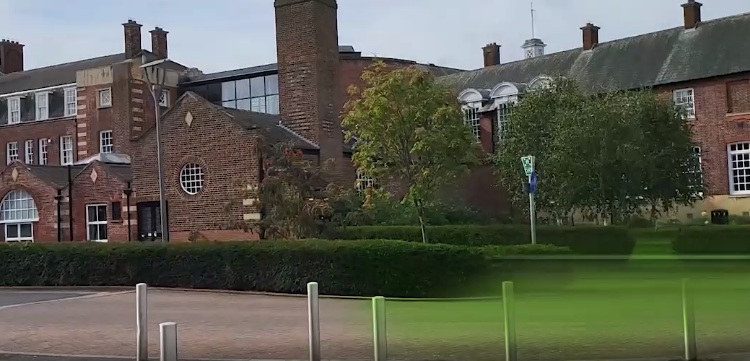
For the last two scenes, I decided to add my own pieces of footage to the video and blend them with the footage, that I filmed around campus.
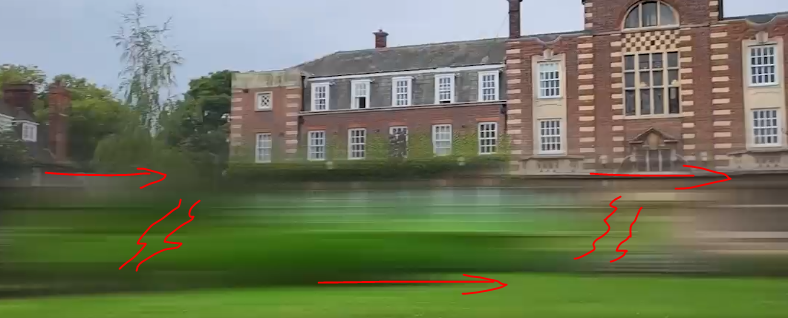
For the final scene, I thought to try and create a vortex/loop that the characters made from running. To make this effect I simply used the directional blur tool and masked areas with a slight tint of colour.
Result:
Overall I am happy with this end result, I enjoyed doing both of these refresher exercises. From doing both, I have found that I am more leaning towards making a short film using Adobe After Effects than Unreal, I feel like I could produce a stronger outcome within this software as I have greater knowledge in this area. I may use some elements however from Unreal to influence my own work later on down the line.
In the next post, I shall be discussing my initial idea and concept for my assignment.